The Graphic Designer's Nightmare: Production-Ready Chaos in 2026
The Rise of Production-Ready Design Expectations in 2026
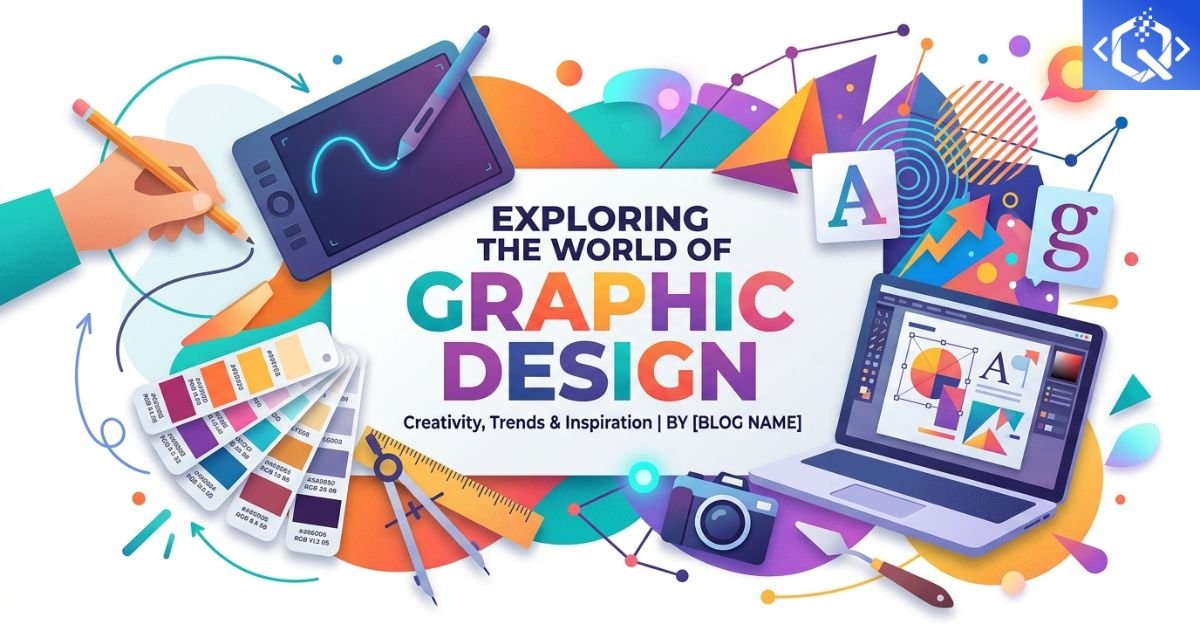
Graphic Designer Nightmare
Production-Ready Design
The Graphic designer nightmare production-ready chaos in 2026 is reshaping how digital products are built. Graphic designers face rising pressure to deliver production-ready design instead of traditional mockups. This shift demands pixel-perfect designs that work across breakpoints, accessibility standards, animation states, and dark mode variants—all before developers write a single line of code.
Design tools now include developer handoff features, component libraries, and design tokens. But the expectation that designers anticipate every technical constraint before implementation creates cognitive overload. Design systems help, but they also add complexity as teams maintain them alongside evolving product requirements.
The Evolution of the Designer's Role
A decade ago, designers delivered static mockups. Developers translated those visuals into code. Today, the lines have blurred. Design-to-code tools generate production-ready components, but they also shift responsibility. Designers now consider layout shifts, loading states, keyboard navigation, and screen reader announcements during the design phase.
The full-stack designer emerging in 2026 handles research, wireframing, prototyping, visual design, interaction design, usability testing, and basic front-end implementation. While this breadth creates versatile practitioners, it also dilutes specialized expertise. Organizations must decide whether they need generalists or specialists.
Role Creep in Modern UX Teams and Its Impact on Designers
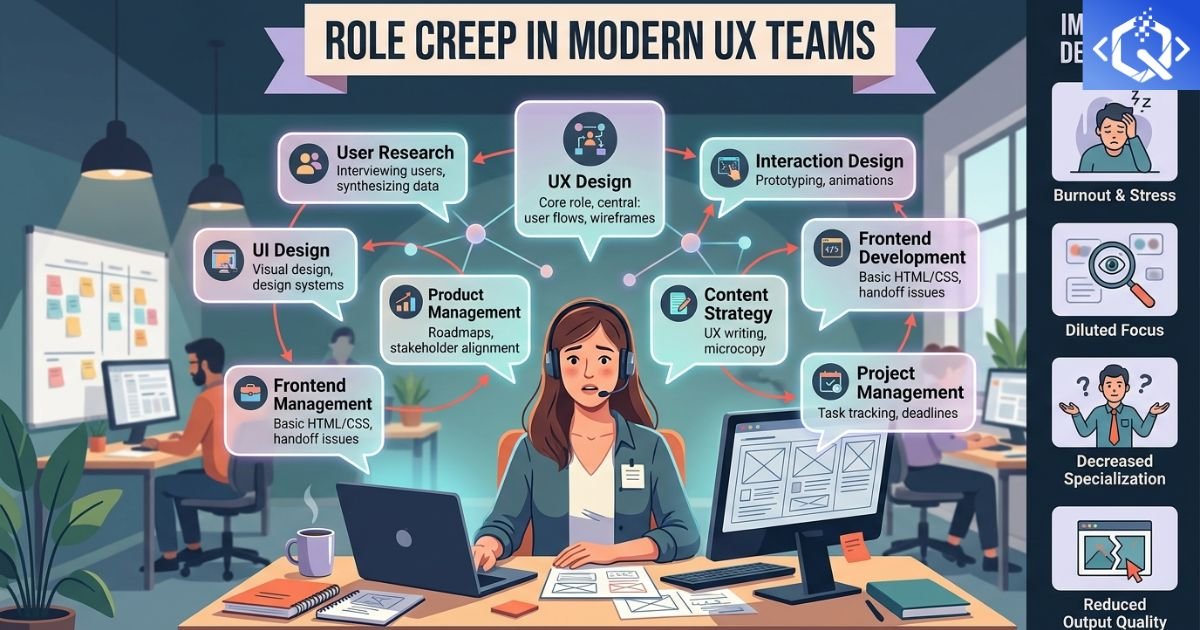
Role Creep in UX Teams
The UX designer nightmare production-ready chaos in 2026 becomes worse due to role creep in UX. Designers are expected to handle design, logic, and debugging. Job descriptions increasingly request "designers who can code," turning a collaborative discipline into a solo endeavor. This expectation ignores that design and development require different cognitive approaches.
Research indicates that designers who code produce less innovative solutions because they constrain creativity to what they can implement. Conversely, developers who design create technically sound but user-hostile interfaces. The solution lies in cross-functional collaboration, not dual-role expectations.
The Competence Trap: When Two Skill Sets Produce Average Results
When designers try to master both design and coding, a UX design skills gap emerges. They lose depth in accessibility and user-centered design. The competence trap describes the phenomenon where someone becomes adequate at two disciplines rather than exceptional at one. Organizations fall into this trap when budget constraints force role consolidation.
The same trap affects developers who learn design. Their interfaces function but lack the polish and empathy of professionally designed experiences. Specialization still matters in creative fields. Generalists excel at early-stage startups, while specialists shine in mature products requiring deep expertise.
The Hidden Cost of Unoptimized Design-to-Code Pipelines
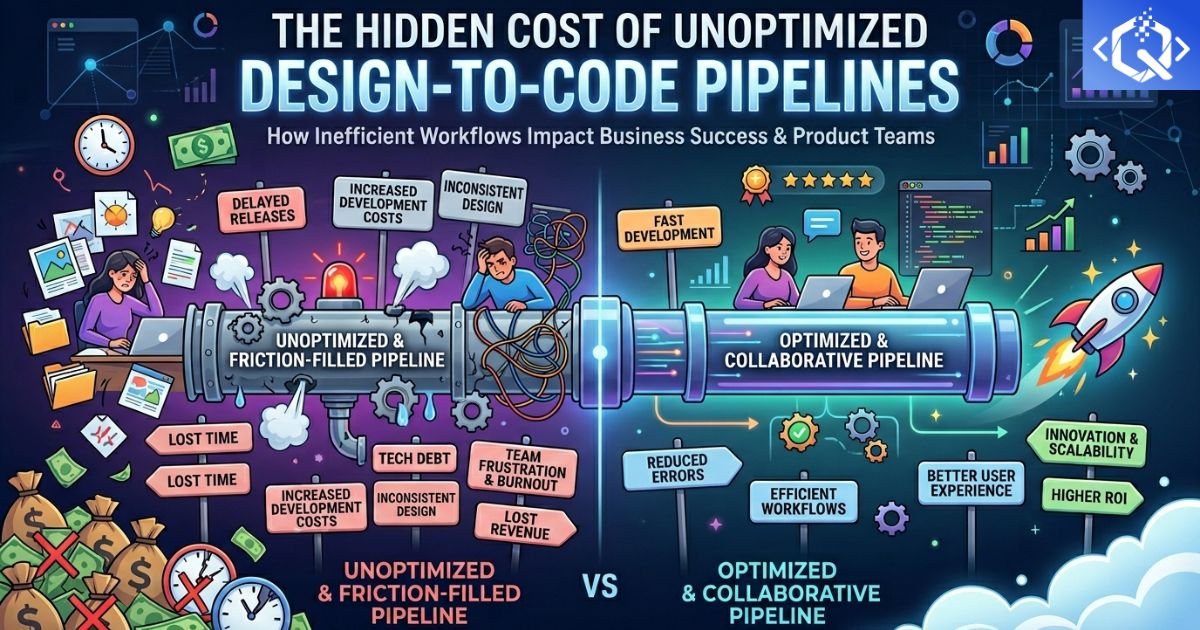
Design-to-Code Pipeline
Rushed design-to-code workflows increase technical debt and reduce performance optimization. When designs handoff without organized layers, component structures, or interaction details, developers make assumptions that create inconsistencies. Design debt accumulates as future features must accommodate existing implementation shortcuts.
Inspect tools like Zeplin, Figma Dev Mode, and Storybook bridge the gap between design and development. But adoption varies across teams, and maintaining synchronization remains challenging. The most successful organizations invest in design operations (DesignOps) roles focused on optimizing this pipeline.
Design Systems: Solution or Additional Complexity?
Design systems promise consistency and efficiency, but they require significant investment to create and maintain. A comprehensive design system includes component libraries, usage guidelines, accessibility documentation, and design tokens. For small teams, this overhead may outweigh benefits.
Mature design systems enable rapid production-ready design by providing pre-built components. Designers arrange these components rather than creating from scratch. However, system maintenance becomes a full-time role as products evolve. Organizations must commit ongoing resources or risk system decay.
Common Issues in Designer-Generated AI Code
AI-Generated Code Issues
| Issue Type | Impact | Prevention |
|---|---|---|
| Missing semantic structure | Poor accessibility for screen readers | Use proper HTML5 elements |
| Over-generated code | Slow performance and large bundle sizes | Review and refactor generated code |
| Weak UI logic | Broken interactions on edge cases | Comprehensive testing across scenarios |
| No design system alignment | Inconsistent UI across components | Establish design tokens first |
| Inline styles everywhere | Difficult maintenance and theming | Extract styles to CSS/SASS |
| No responsive considerations | Broken layouts on different devices | Test across breakpoints |
| Missing accessibility attributes | Users with disabilities excluded | Include ARIA labels and roles |
AI coding assistants generate functional but not production-ready code. Generated code often lacks error handling, edge case consideration, performance optimization, and accessibility features. Designers without development experience cannot identify these deficiencies, creating hidden technical debt that emerges later.
Accessibility: The Most Overlooked Design Requirement
Web Content Accessibility Guidelines (WCAG) require color contrast, keyboard navigation, screen reader compatibility, and focus indicators. Yet accessibility remains an afterthought in many design processes. Production-ready designs must consider colorblind users (8% of males), motor impairments (affecting navigation), and cognitive disabilities (impacting comprehension).
Legal requirements increasingly mandate accessibility. ADA Title III lawsuits target companies with inaccessible digital products. Accessible design is not optional—it protects both users and organizations. Production-ready designs must include alternative states for all interactive elements, proper heading hierarchy, and descriptive link text.
The Developer Handoff Problem
| Handoff Asset | What Developers Need | Common Gap |
|---|---|---|
| Redlines | Spacing, sizing, positioning measurements | Missing states (hover, active, disabled) |
| Assets | SVG icons, optimized images, fonts | Incorrect formats or missing variants |
| Components | Complete states, behaviors, interactions | Only default state documented |
| Responsive | Breakpoints, layout shifts, hide/show rules | Mobile design missing |
| Accessibility | ARIA labels, focus order, alt text | Completely overlooked |
| Animation | Duration, easing, trigger conditions | No specification provided |
AI Design Tools: Friend or Foe?
2026 brings sophisticated AI design tools that generate layouts from text prompts and convert sketches to polished interfaces. These tools accelerate iteration but also increase production-ready expectations. AI-generated designs often look beautiful but fail usability testing because they prioritize aesthetics over functionality.
Designers must validate AI outputs rather than accepting them. The most effective approach combines AI speed with human judgment. Use AI for exploration and initial generation, then apply design thinking, user research, and accessibility standards to refine outputs before development handoff.
The Mental Health Toll on Designers
Constantly expanding expectations without corresponding support leads to designer burnout. The pressure to deliver production-ready designs faster, while learning new tools and anticipating technical constraints, creates unsustainable workloads. Designer anxiety manifests as imposter syndrome and creative blocks.
Organizations must reset unrealistic expectations. Design maturity models help teams assess capabilities and plan growth. Celebrating well-crafted solutions over rapid delivery fosters healthier cultures. Psychological safety in design critiques encourages learning rather than defensiveness.
Best Practices for Production-Ready Design Workflows
- Define clear handoff processes: Specify what the design team delivers and what development expects before implementation begins
- Implement design tokens: Use shared variables for colors, typography, spacing, and animations accessible to both tools
- Create component libraries: Build reusable UI components with documented states, behaviors, and variations
- Design responsive-first: Consider mobile, tablet, and desktop experiences simultaneously rather than retrofitting
- Incorporate accessibility from start: Test color contrast, keyboard navigation, and screen reader compatibility throughout design
- Document interaction details: Specify micro-interactions, loading states, error messages, and empty states
- Establish regular syncs: Hold design-development checkpoints to identify issues before handoff
The Future of Design Roles
Rather than forcing designers to become developers, the industry is evolving toward embedded designers working alongside developers within product teams. This structure enables real-time collaboration without requiring dual expertise. Design technologists bridge the gap, translating designs for developers and advising designers on technical feasibility.
New roles like DesignOps Engineer and UX Developer are emerging. These specialists optimize the design-to-development pipeline, maintain design systems, and educate both disciplines. Organizations investing in these roles report faster delivery and higher quality products.
Tools That Actually Help
- Figma + Dev Mode: Provides developers with inspectable designs, code snippets, and asset exports
- Storybook: Creates isolated component environments for design and development collaboration
- Zeroheight: Documentation platform for living design systems accessible to both teams
- Chromatic: Visual testing tool that catches UI inconsistencies before deployment
- Backlight: Design system development environment bridging design and code
- Specify: Automates design token extraction from Figma to code
Final Thoughts: Balancing Creativity, Code, and Responsibility
The future depends on balance — strong user interface design, clear information architecture, and respect for accessibility standards. Neither designers becoming developers nor developers becoming designers solves the production-ready challenge. The answer is collaboration, not consolidation.
Organizations that invest in robust design systems, clear handoff processes, and cross-functional team structures will thrive. Those demanding hybrid unicorns will struggle with burnout, quality issues, and missed deadlines. The choice is clear: provide designers the support they need to excel at design, and developers the specifications they need to build effectively.
FAQs About Production-Ready Design
FAQs
What does production-ready design mean?
Production-ready design includes all states (default, hover, active, disabled, focus), responsive variations, accessibility considerations, animation specifications, and developer-friendly assets—everything needed for implementation without additional clarification.
Should designers learn to code?
Understanding technical constraints helps designers create feasible solutions, but full development expertise isn't necessary. Collaboration with developers who communicate constraints works better than expecting dual expertise.
What is design debt?
Design debt accumulates when shortcuts or inconsistencies in design systems require future rework. Like technical debt, it increases as products evolve without proper design foundations.
How do I improve design-development collaboration?
Establish regular sync meetings, use shared tools, create living style guides, define clear handoff processes, and encourage cross-functional team structures where designers and developers work together daily.
What's the biggest mistake in design handoff?
Assuming the developer will fill gaps. Every missing state, unspecified interaction, and ambiguous specification creates inconsistency and delays. Document everything explicitly.
Questions we get asked a lot
Can't find your answer here?
We work on web development, custom software, SaaS platforms, AI integrations, UI/UX design, e-commerce, and brand identity. We are selective — we only take on projects where we believe we can deliver real impact, not just complete tasks.
It depends on the scope. A landing page or brand refresh typically takes 2–3 days. A full SaaS product usually takes 8–16 days from kickoff to launch. We provide a detailed timeline in our proposal before any commitment.
You get a dedicated project manager, weekly progress updates, and access to a shared project board. We work in 2-week sprints with demos at the end of each cycle so you always know exactly where the project stands.
We work with both. Some of our best projects are zero-to-one builds with first-time founders. We are comfortable working with ambiguity and helping shape ideas into real products rather than just executing specifications.
We offer fixed-price quotes for clearly defined projects and a retainer model for ongoing development. We do not use hourly billing as it misaligns incentives. After a discovery call, we share a detailed proposal with transparent pricing.
Yes. Every project includes a 30-day post-launch support period at no additional cost. After that, we offer flexible maintenance retainers covering bug fixes, updates, and feature enhancements.
Yes. We often join ongoing projects, audit existing codebases, and improve or extend them. We always start with an honest technical assessment before moving forward.
Fill out the contact form or book a free 30-minute discovery call. We will discuss your goals, timeline, and budget — and if we are a good fit, you will receive a proposal within 3 business days.